From Git to Cloud: A Student Developer's Complete Deployment Journey
How I transitioned from double-clicking index.html to GitHub Pages, Railway, Vercel, Firebase, and hyperscale Google Cloud Platform (GCP). Deep technical specifications, costs, architectural traps, and lessons learned along the road to production.
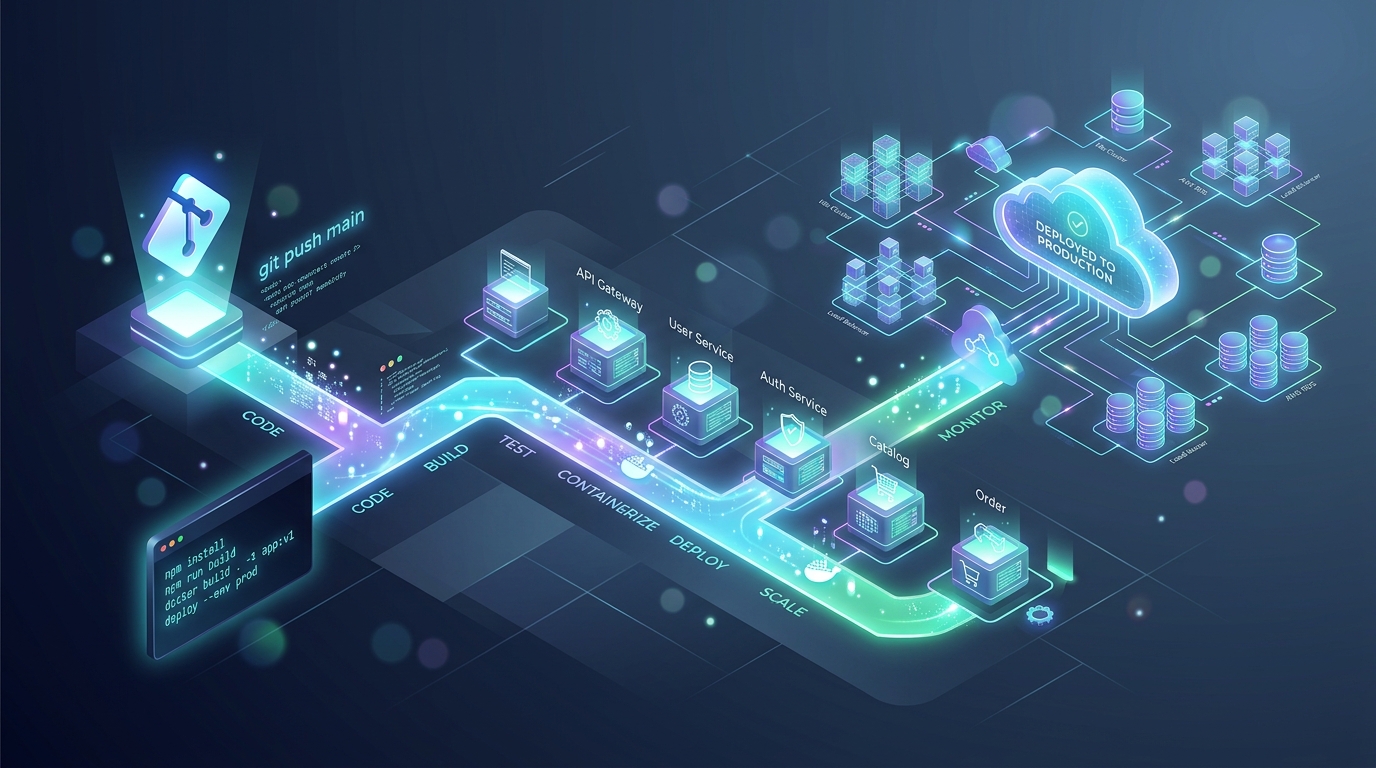
The 5 Stages of Deployment Maturity at a Glance
Each platform solved a specific barrier in my engineering journey: from static file serving to relational databases, serverless rendering, mobile backend-as-a-service, and ultimately production container scaling.
Table of Contents
1. The "localhost:3000" Student Dilemma: Where Does Code Actually Run?
Every aspiring software developer remembers the magic of typing npm run dev or opening an index.html file in their browser. For weeks or months during college, our entire universe exists between localhost:3000, 127.0.0.1:8000, and Chrome DevTools.
Then comes the inevitable graduation moment:
- You need to showcase your portfolio to an internship recruiter.
- You enter a 36-hour college hackathon and the judges demand a live submission link.
- You build a web app you genuinely want your friends or family to test on their smartphones.
Suddenly, you hit a mental brick wall. You cannot send someone a link to http://localhost:3000. You cannot keep your college laptop open running on your hostel Wi-Fi with port forwarding (which is often blocked by college firewalls anyway).
What follows is an exhilarating, sometimes agonizing, multi-year pilgrimage across the modern cloud landscape. Here is the unfiltered story of how I evolved through five distinct platforms—the exact specifications of each service, their pricing economics, their architectural traps, and how each tool shaped my mindset as a professional engineer.
2. Stage 1: GitHub Pages — The Static Epiphany & Zero-Cost Heaven
GitHub Pages
Pure Git-Triggered Static Anycast Hosting
When you first learn Git and push code with git push origin main, GitHub Pages feels like pure wizardry. You go into your repository settings, select the main branch or /docs folder, and within sixty seconds, your site is live globally at https://username.github.io/repo-name/.
Technical Specifications & Architecture
- Content Delivery Network (CDN): Backed by Fastly's global Anycast edge network. Your HTML, CSS, JavaScript, and images are cached at hundreds of points-of-presence (PoPs) worldwide.
- SSL/TLS Certificates: Fully automated Let's Encrypt certificates provisioned on the fly, even when linking custom domains with a simple
CNAMErecord. - Build Pipeline: Native Jekyll static site generator integration or standard GitHub Actions workflows (
actions/deploy-pages@v4).
The Benefits for Students
- Zero Credit Card Required: The biggest friction point for college students in India and worldwide is having an international credit card. GitHub Pages requires zero billing info.
- Git as the Pipeline: There is no separate dashboard or deployment terminal. Your commit history is your deployment log.
- Zero Maintenance: No servers to patch, no Linux security updates, no memory leaks, no crashed daemons. It simply never goes down.
The Hard Wall: Where It Breaks
Everything is serene until you build your first app that requires a database or private API key:
- No Backend Runtime: You cannot run Node.js, Express, Python, Django, Flask, PHP, or Go. It only serves files that the client browser executes.
- Zero Secret Security: Any API key (like OpenAI or Stripe) placed in JavaScript is completely exposed in the browser's "Network" tab or source code.
- The Single-Page Application (SPA) 404 Problem: If you use React Router or Vue Router with HTML5 History API, navigating to
/dashboardand pressing refresh returns GitHub's standard 404 page, because Fastly looks for a physical/dashboard.htmlfile on the server.
3. Stage 2: Railway.app — The Awakening to Full-Stack Containers & Managed DBs
Railway.app
Containerized PaaS with 1-Click Provisioned Databases
When Heroku discontinued its legendary free tier, student developers were left stranded. That was when I discovered Railway.app. Railway felt like magic in a different dimension: you connect your GitHub repository, and its Nixpacks engine automatically analyzes your code, recognizes you have a package.json or requirements.txt, builds a lightweight container, and starts your Express or FastAPI backend.
Technical Specifications & Architecture
- Nixpacks Build Engine: Railway creates reproducible container images without forcing you to write a complex
Dockerfile. It automatically configures environment dependencies (Node, Python, GCC libraries). - Private Service Mesh: In your project canvas, you can click "New Database → PostgreSQL". Railway spins up a containerized database and gives you private internal networking (
postgres.railway.internal:5432), meaning your database traffic never touches the public internet. - Environment Variable Injection: Seamless secret management through an intuitive web UI. Variables like
DATABASE_URLare automatically injected into your app.
The Hard Lessons Learned on Railway
Railway was where I learned the difference between hobby coding and real production architecture:
-
The Ephemeral Filesystem Shock: I built an app where users could upload profile photos, saving them into
/uploads/avatar.pngon local disk. Two days later, I pushed a minor code fix to GitHub. When Railway redeployed, every single user avatar disappeared! That was my brutal first lesson in container ephemeral storage: containers are disposable. Uploads must go to cloud object storage (AWS S3 or Google Cloud Storage). - Resource Consumption & Sleeplessness: Railway bills based on vCPU-seconds and RAM GB-hours. If your Node backend has a memory leak that slowly swells to 512MB RAM, your $5 monthly hobby budget evaporates in two weeks.
4. Stage 3: Vercel — The Frontend Cloud, Serverless & Edge Optimization
Vercel
Serverless & Edge-Optimized Frontend Cloud
As my projects evolved from plain HTML to modern frontend frameworks like Next.js, hosting monolithic servers on Railway felt heavy for what was primarily frontend UI rendering. That's when I embraced Vercel.
Vercel revolutionized developer experience (DX). You push a Git branch, and within 30 seconds you get an immutable, unique preview URL (e.g., my-app-git-feature-name.vercel.app) complete with screenshot commenting for collaborators.
Technical Specifications & Architecture
- Edge Network & Anycast Routing: Static HTML, JS, and optimized WebP images are cached across global edge locations. TTFB (Time to First Byte) is often under 25 milliseconds.
- Serverless Functions (AWS Lambda Under the Hood): Every API route in
/api/*or Next.js Server Action is compiled into an isolated serverless function that spins up on demand and dies immediately after sending the response. - Edge Middleware (V8 Isolates): Lightweight compute executing in under 2ms for geolocation routing, authentication token validation, and A/B testing before requests ever reach origin servers.
- Incremental Static Regeneration (ISR): Allows you to generate static pages on the fly without rebuilding the entire website when backend data updates.
The Gotchas Every Developer Must Know
- The 10 to 15-Second Execution Timeout: On the free Hobby tier, any serverless function that runs longer than 10 seconds is abruptly terminated with a 504 Gateway Timeout. You cannot run long web scrapers, batch email senders, or AI video renderers here.
- The Database Connection Pool Trap: Because serverless functions scale horizontally by spawning hundreds of independent function instances during traffic spikes, each instance opens its own TCP connection to your SQL database. A traditional PostgreSQL instance with
max_connections = 100will crash instantly under load unless you use connection poolers like PgBouncer, Prisma Accelerate, or Neon Serverless. - Strict Commercial Terms: The Hobby tier is strictly for personal and non-commercial projects. The moment you sell a subscription or process payments, their Terms of Service require upgrading to the Pro plan ($20/month per seat).
5. Stage 4: Firebase — The Full BaaS Supercharger (Auth, Realtime & Zero-Boilerplate)
Google Firebase
Complete Backend-as-a-Service (BaaS) & Cloud Ecosystem
When I began building mobile applications with Flutter alongside interactive web tools, building custom authentication flows, handling JWT refresh tokens, writing database schemas, and managing WebSocket servers felt like reinventing the wheel.
Enter Firebase—Google's comprehensive Backend-as-a-Service (BaaS). Firebase is the ultimate hackathon accelerator. In less than 15 minutes, you can have Google Sign-In, Apple Authentication, phone SMS verification, and a live reactive database syncing across devices in real time.
Technical Specifications & Architecture
- Cloud Firestore: A horizontally scalable NoSQL document database. Its crowning feature is real-time listeners: when a document in the database changes, a WebSocket notification updates your Flutter or React UI instantly without polling.
- Firebase Authentication: Out-of-the-box identity management handling session persistence, password resets, multi-factor authentication, and OAuth handshakes with zero custom server logic.
- Firebase Hosting: High-performance SSD-backed global CDN with instant rollbacks, multi-site management, and automated integration with GitHub pull requests.
- Firebase Security Rules: Instead of writing middleware controllers to authorize user permissions, you declare security rules directly on your database (e.g.,
allow write: if request.auth.uid == userId).
The Double-Edged Sword: Firestore Billing Traps
Firebase's Spark plan is unbelievably generous: 50,000 free document reads and 20,000 free document writes every single day. However, because Firestore bills per read/write operation rather than compute time:
onSnapshot() listener inside a React component without a proper dependency array, or if an action triggers a re-render that queries an entire collection of 2,000 items, your browser will execute 2,000 reads on every keystroke. Developers have burned through millions of reads and received surprise $500 bills in a single afternoon due to unindexed queries!
6. Stage 5: Google Cloud Platform (GCP) & Cloud Run — Hyperscale Infrastructure & Container Mastery
Google Cloud Platform (GCP)
Enterprise Hyperscale Cloud & Serverless Containers (Cloud Run)
As products scale into true multi-tenant production systems—like the real-world utility tools we develop at BorageTech—the limitations of opinionated PaaS and BaaS platforms become apparent. You need custom binary libraries (like FFmpeg or Chromium for automated PDF/image processing), Python machine learning models, custom TCP sockets, or granular virtual private clouds (VPCs).
This is the final frontier: Google Cloud Platform (GCP), and specifically its game-changing service, Google Cloud Run.
Why Cloud Run is the Gold Standard for Modern Developers
-
Standard Docker Containers: There is zero proprietary framework lock-in. You write a standard
Dockerfilein any language—Go, Rust, Python, Node, C++, or Ruby. If it builds locally, it runs identically on GCP. - Massive Concurrency Efficiency: On AWS Lambda, one incoming HTTP request is handled by one isolated container instance. If 500 users visit simultaneously, Lambda must spin up 500 instances (triggering cold starts). In contrast, Google Cloud Run handles up to 1,000 concurrent requests within a single container instance using asynchronous threading. This drastically reduces cold starts and slashes compute costs.
- True Scale-to-Zero ($0 Cost When Idle): Unlike a traditional Linux Virtual Machine (Compute Engine or AWS EC2) where you pay every single second 24/7/365 even when no one is using your site, Cloud Run scales down to 0 container instances when traffic stops. You pay exactly $0.00 while sleeping.
-
Regional Low Latency in India: Deploying directly to
asia-south1(Mumbai) orasia-south2(Delhi) delivers lightning-fast ping times (<15–25ms) across the Indian subcontinent.
The Permanent GCP Free Tier Breakdown
Contrary to popular student fear that "GCP will bankrupt me," Google Cloud provides one of the most generous permanent free tiers in the industry, even after your $300 new account credits expire:
- 2,000,000 Cloud Run requests per month completely free.
- 360,000 vCPU-seconds and 180,000 GiB-seconds of memory free every month.
- 1 Free e2-micro Virtual Machine (US region) running 24/7 with 30GB persistent HDD disk.
- 5 GB of Google Cloud Storage with 5,000 Class A write operations.
7. Master Specification & Pricing Comparison Matrix
Here is the comprehensive engineering comparison across all five platforms evaluated side-by-side:
| Platform | Compute Architecture | Database Support | Free Tier Allowance | Cold Starts | Learning Curve | Best Student Use Case |
|---|---|---|---|---|---|---|
| GitHub Pages | Static CDN (Fastly) | None (Static Only) | 100% Free Forever (100GB/mo) | 0 ms (Instant) | Beginner (1/5) | Portfolios, Resumes, Vanilla JS Web Apps |
| Railway.app | Ephemeral Containers (Nixpacks) | Postgres, MySQL, Redis, MongoDB | $5 free trial credits, then ~$5/mo Hobby | 2–5 seconds on idle | Intermediate (2.5/5) | Express/FastAPI APIs, Bots, Hackathon MVPs |
| Vercel | Serverless (Lambda) + V8 Edge | External (Neon, Supabase, KV) | 100% Free Hobby (100GB bandwidth) | <5ms Edge, ~300ms Node | Beginner-Intermediate (2/5) | Next.js, React, Jamstack Frontend Apps |
| Firebase | BaaS + Serverless Functions | Firestore NoSQL & Realtime DB | Spark Plan Free (50k reads/day) | Instant DB, ~1s Functions | Intermediate (2.5/5) | Flutter & Mobile Apps, Real-Time Chat, Auth |
| GCP Cloud Run | Serverless Docker Containers | Cloud SQL, Spanner, Firestore | 2 Million req/mo Free + $300 Credits | ~500ms to 1.5s | Advanced (4/5) | Production APIs, Microservices, Python/AI, Enterprise |
8. 5 Hard-Won Cloud Architecture Lessons (What College Doesn't Teach)
Reflecting on this multi-year progression, these five technical principles proved to be the most consequential mindset shifts in my journey from a student coder to a systems architect:
1. Statelessness is Mandatory in the Cloud
On your laptop, you can store session variables in memory or write user uploads into a local folder. In modern cloud architecture, your container can be destroyed or replaced at any second.
- Sessions must live in an external distributed cache like Redis or stateless JWT tokens.
- Media & Files must stream directly to cloud object storage (Google Cloud Storage buckets or AWS S3) via pre-signed upload URLs.
2. Understand the Cost of Cold Starts
"Serverless" doesn't mean there are no servers; it means you don't manage them. When your application receives zero traffic for 15 minutes, cloud providers de-allocate your container to save hardware resources. The first user who arrives experiences a cold start while the container boots up.
• V8 Edge Isolate (Vercel/Cloudflare): ~1ms – 5ms (Sub-perceptual)
• Node.js Serverless Function (Lambda/Vercel): ~200ms – 400ms
• Docker Container (Cloud Run / Railway): ~800ms – 2,000ms
• Heavy Python/Torch Container: ~4,000ms – 8,000ms
3. Environment Secrets Hygiene
Never, under any circumstance, push a .env file or database connection string to GitHub. Automated scrapers crawl public GitHub commits in under 3 seconds to steal AWS credentials and OpenAI keys to mine cryptocurrency. Always add .env* to your .gitignore and configure secrets inside your platform dashboard or GCP Secret Manager.
4. Serverless Auto-Scaling Can Destroy Traditional Databases
If your website reaches the front page of Reddit or Hacker News, Vercel or Cloud Run will effortlessly spin up 200 concurrent instances to handle the traffic. But if each instance opens a fresh database connection, your single PostgreSQL database will be assaulted with 200 connection requests simultaneously, triggering FATAL: remaining connection slots are reserved for non-replication superuser connections. Serverless architectures require connection pooling proxies (like PgBouncer or Supabase connection poolers).
5. Billing Alerts Before Code Deploys
The very first action you should take on AWS, GCP, or Railway is setting up a Billing Budget Alert. Configure an email notification whenever your project spends $1.00, $5.00, or $10.00. This turns a potentially catastrophic $300 accidental billing disaster into a harmless early-morning wake-up notification.
9. Decision Flowchart: Which Platform Should You Choose Today?
- • Your project is pure HTML, CSS, JavaScript, or static React build (
npm run build). - • You have zero budget and no international credit card.
- • It's a portfolio, documentation site, or student resume.
- • You are building with Next.js, React, Nuxt, or modern Jamstack.
- • You want automatic preview URLs on every Git pull request.
- • Your API routes finish executing in under 10 seconds.
- • You need an Express/FastAPI backend with a real PostgreSQL/Redis DB.
- • You want full-stack simplicity without writing a Dockerfile.
- • You are building a 24/7 background worker, Telegram bot, or hackathon prototype.
- • You are developing a mobile app (Flutter, Android, iOS).
- • You want instant authentication (Google/Phone) without building user tables.
- • Your app needs live collaborative real-time sync (chat, canvas, dashboards).
- • You want complete control over your environment with standard Docker containers.
- • You need scale-to-zero economics ($0 when idle) while handling thousands of concurrent requests per container.
- • You want enterprise sovereignty, low-latency regional deployments in India (Mumbai/Delhi), and zero proprietary platform lock-in.
10. Frequently Asked Questions (FAQ)
JOIN queries or aggregate functions like SUM() across millions of records. If your data structure involves complex many-to-many relationships (like accounting ledgers, ERP systems, or inventory catalogs), a relational SQL database like PostgreSQL on Railway or Cloud SQL is vastly more maintainable.
Conclusion: Deployment is an Engineering Superpower
Looking back at the progression from GitHub Pages to Google Cloud Platform, every stage served a vital purpose. GitHub Pages taught me DNS and static delivery. Railway taught me containerization, environments, and databases. Vercel taught me edge performance and modern frontend pipelines. Firebase taught me how to move at lightning speed with BaaS. And Google Cloud Platform gave me industrial-grade autonomy and scalability.
If you are currently a student developer standing at localhost:3000, don't be intimidated by hyperscale cloud jargon. Start with a single git push to GitHub Pages today. Build, ship, break things, and let each real-world architectural bottleneck guide your next deployment milestone.

BorageTech Engineering Team
AuthorsWe design smart, privacy-centric developer tools and energy calculation software for Indian consumers and global creators. We believe in transparent architecture, honest pricing, and sharing real engineering lessons.
Related Technical Articles
BT QR Studio: Building an Honest QR Code Suite with Offline Vectors
How we built a zero-scan-ad, privacy-first QR code engine without foreign subscription traps.
How to Calculate Electricity Bill from Meter Units
Understanding state DISCOM tiered slabs, fixed charges, and fuel surcharges.